
Reference
Radeon cards
Run DLSS 5 on an AMD Radeon RX 7000 or 9000 with the Radeon edition and DLSS-NR-on-AMD.
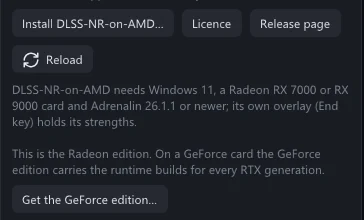
DLSS 5 is NVIDIA's, so a Radeon card needs help: DLSS-NR-on-AMD, a separate project that brings DLSS 5 neural rendering to AMD cards. The Radeon edition of this app is built for it, and downloads and installs it when you ask.
What you need
- Windows 11.
- An AMD Radeon RX 7000 or RX 9000 card.
- AMD Software: Adrenalin Edition 26.1.1 or newer.
These are DLSS-NR-on-AMD's requirements; its release page has the current ones. On an older Radeon the app still runs as a viewer and recorder, but the picture comes back unchanged.
Install
Download
VRChatDLSS5Cam-win64-amd.zipfrom the download section and unzip it, as in Install. Already have the GeForce edition? On a Radeon card its button Get the Radeon edition… swaps the files for you.Start
VRChatDLSS5Cam.exe.A button Install DLSS-NR-on-AMD… appears on the start-up card and in the DLSS 5 Neural Rendering section.
Click Licence next to it and read it. DLSS-NR-on-AMD is free for personal, non-commercial use; it may not be passed on or changed.
Click Install DLSS-NR-on-AMD… to start.
The app downloads the installer from that project's own release page and runs it in the background. When it is done, the app restarts by itself.
Check the DLSS 5 Neural Rendering section.
It names DLSS-NR-on-AMD as loaded, and the badge next to Enable DLSS 5 (DLSSNR) says Active.
If the folder needs administrator rights, or the card is not supported, the installer opens its own window so you can read its message.
What is different
- The look is set in DLSS-NR-on-AMD's overlay. Press End in the app to open it. There you set its preset, style and strengths up to 1; the app's own Preset, Style and strengths up to 1 are not passed on. Leave its Mode on inline, which saved pictures need.
- These controls of the app still work: the output blend, strengths above 1, and Neural pass resolution.
- It is slower. The network runs while each frame waits for it, so a large live picture reaches only a few frames per second. A cap such as Long edge up to 1440 px and the Processing rate cap keep the live picture fluid. Saved pictures and videos come out the same, only later.
- Motion comes from the FSR optical flow. The hardware optical flow belongs to GeForce cards; the app's own FSR optical flow takes its place.
- One CPU core stays busy from the first DLSS 5 frame until the app closes. That is a thread of DLSS-NR-on-AMD; the app cannot stop it.
Updates and removal
The DLSS 5 Neural Rendering section shows the installed DLSS-NR-on-AMD next to the newest one. When a newer one is out, the button reads Update to … with its version. The button Run the installer again… opens the installer's window: there U updates and R removes it.
The app itself updates as usual. Updates